Search
Kurbits provides full-text search across all records in your institution.
Accessing search
Click the Search icon in the top-right of the navigation bar to open the global search.
Or use quick search with keyboard cmd + shift + k
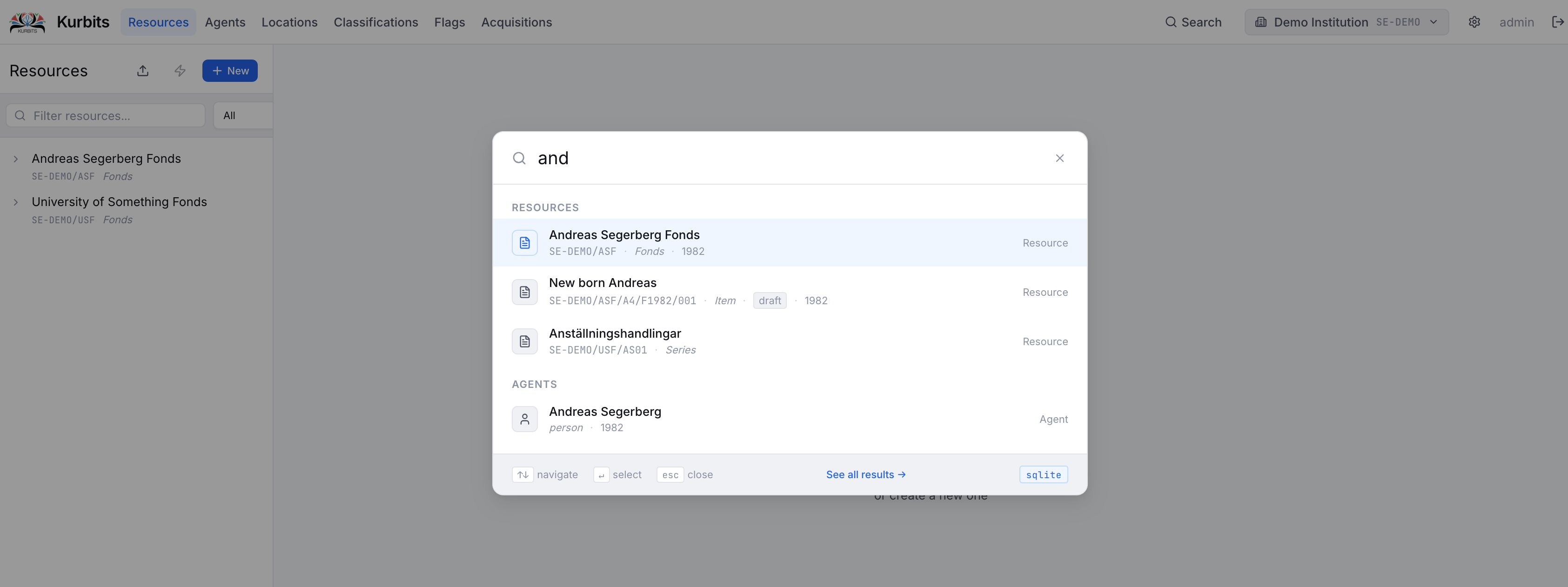
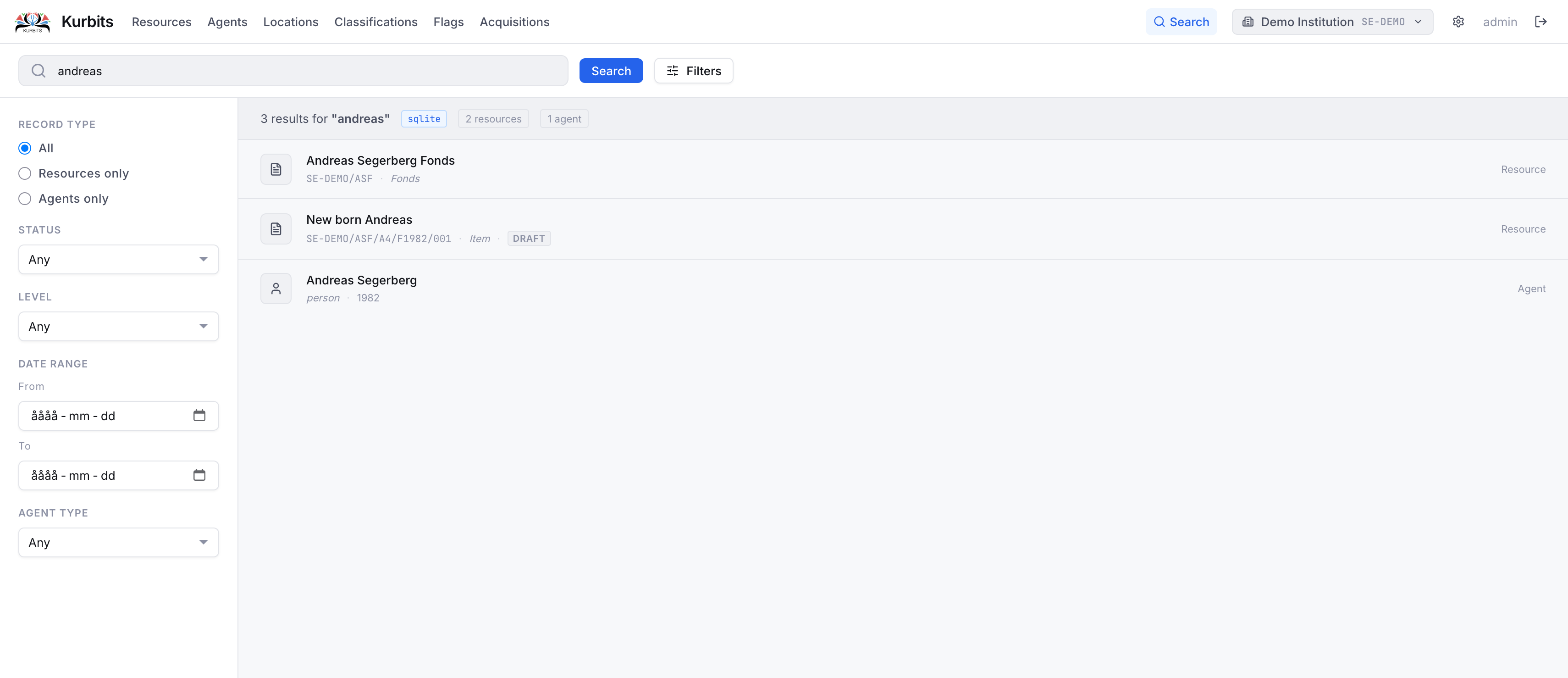
This will give you the most relevant hits that you can access directly. Alternatively, click See all results to access the full search page where you also have filter options.
How it works
Type at least two characters to begin searching. Results are grouped by record type:
- Resources — archival units (fonds, series, files, items)
- Agents — people, organisations, families
- Classifications — nodes in your controlled vocabulary schemes
Click any result to navigate directly to that record.
Search within a section
Each section also has its own search:
- Resources tree — the search box above the tree filters resources by title, reference code, or description
- Agents — the search box in the left panel filters agents by name
- Classifications — the search box filters classification nodes by name or code
- Acquisitions — each panel (Agreements, Deliveries, Accessions) has a search box filtering by reference number and title
Tips
- Search is case-insensitive
- Partial matches work — searching "förvalt" will find "Gemensamma förvaltningen"
- Reference codes can be searched directly — searching "SE-GBG/1/A1" will find that series